

Segments, activities and nodes
Where visual authoring sits in the WHO SMART layers
The WHO SMART Guidelines describe a guideline's journey from paper to software in layers: L1 narrative guidelines, L2 operational requirements (the digital adaptation kit), L3 machine-readable recommendations, L4 executable reference software and L5 dynamic, precision-health models.
Visual authoring adds two steps between them:
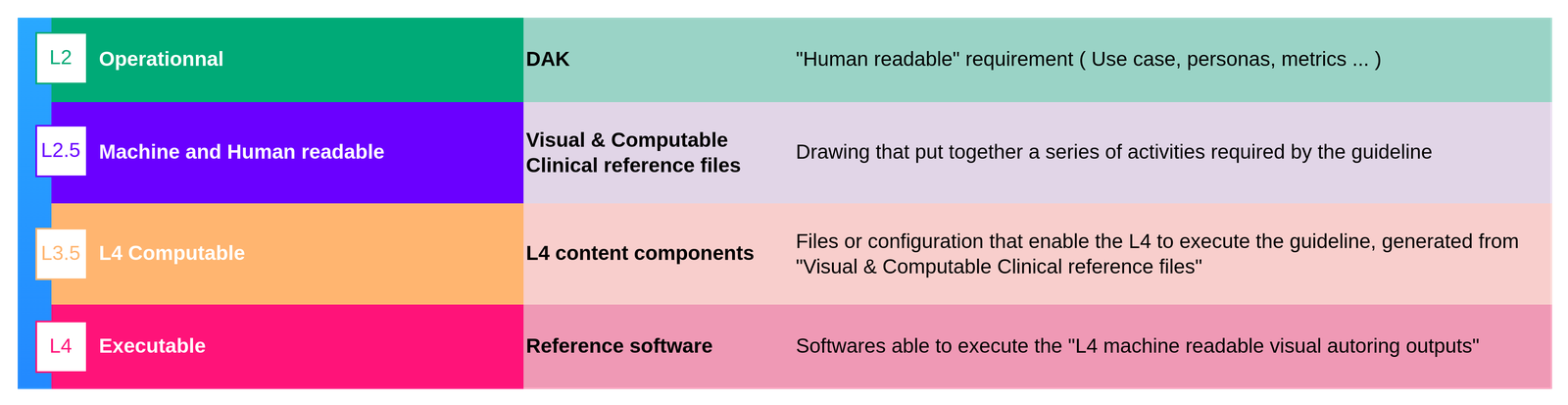
- L2.5, visual and computable clinical reference files. What you author in this app: diagrams that clinicians read and machines compute.
- L3.5, L4 content components. The forms and configuration that tricc_oo generates from them, ready for the L4 software to run. This step is automated.
Segments: when content runs
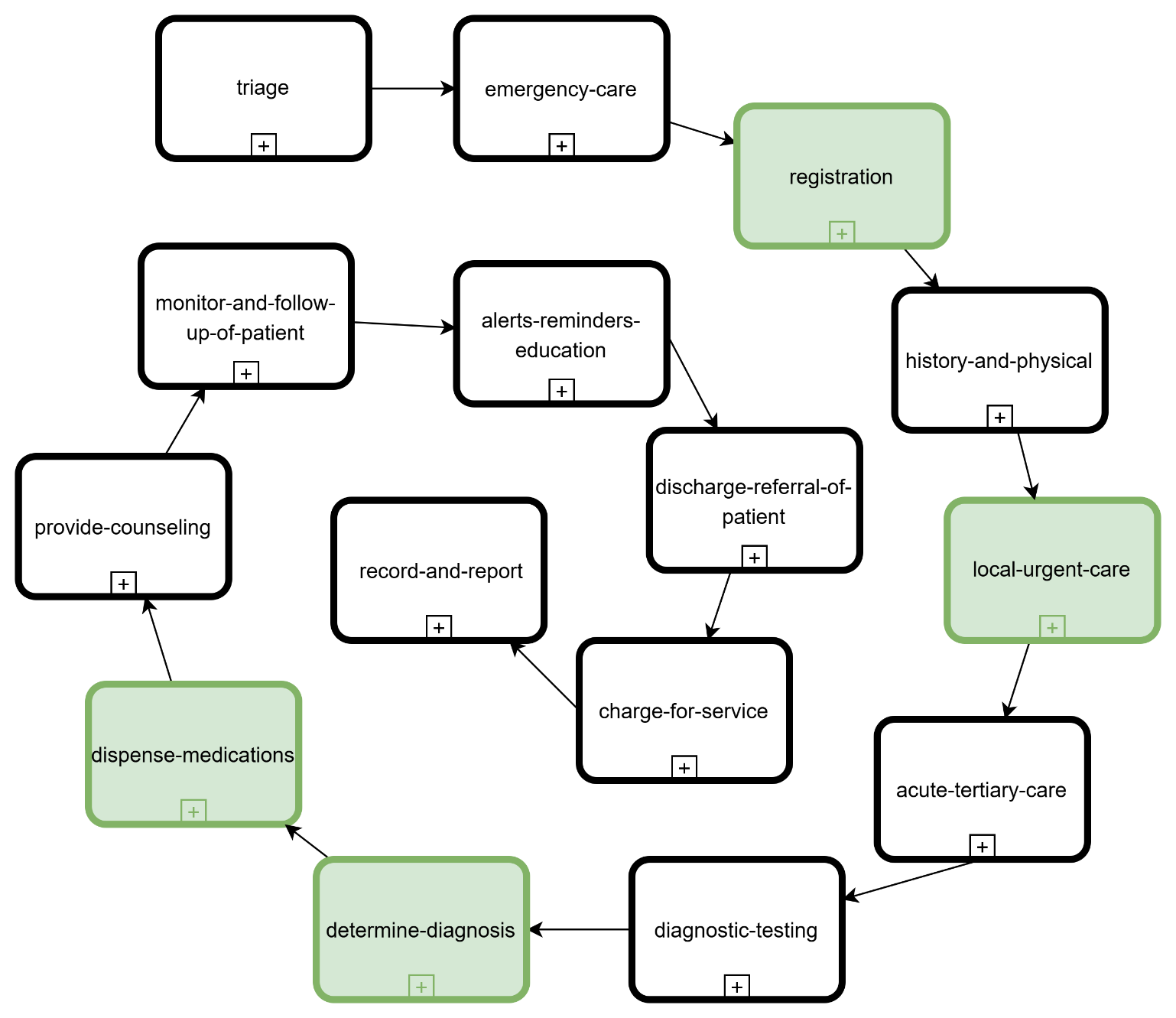
An encounter is divided into segments: registration, history and physical, diagnosis, dispensing medications, and so on. A segment says when an activity is carried out, lets several guidelines merge into one coherent visit, and allows jumping to a given segment. The segments follow the HL7 CPG common processes.
Each guideline, or track, takes part only in the segments it needs:
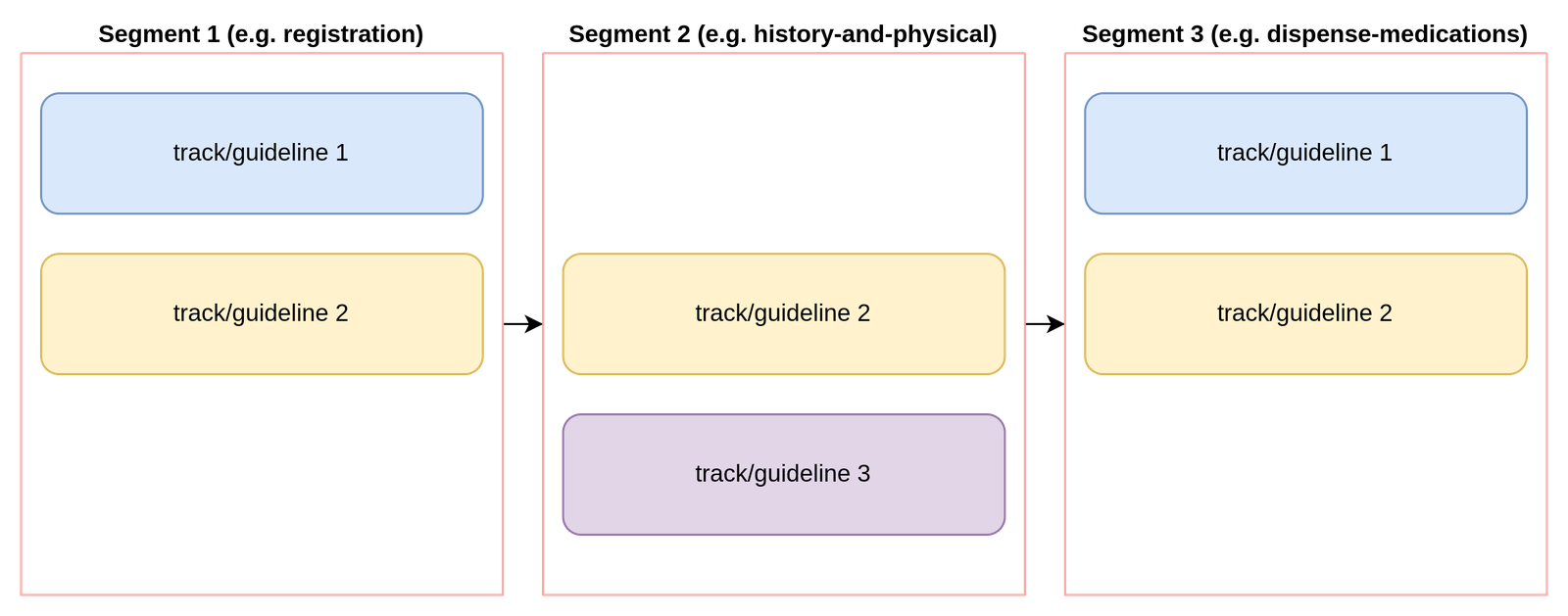
In the app:
- a guideline or track is an intervention;
- its part in one segment is a segment in the app (a process activity in the files): its Starts field names the CPG common process it implements, chosen from the CPG list;
- an intervention's start condition says for whom and when it opens.
Layers: what, then how
Each segment is described in three or more levels. The intent (what to do) is kept apart from the details (how to do it):
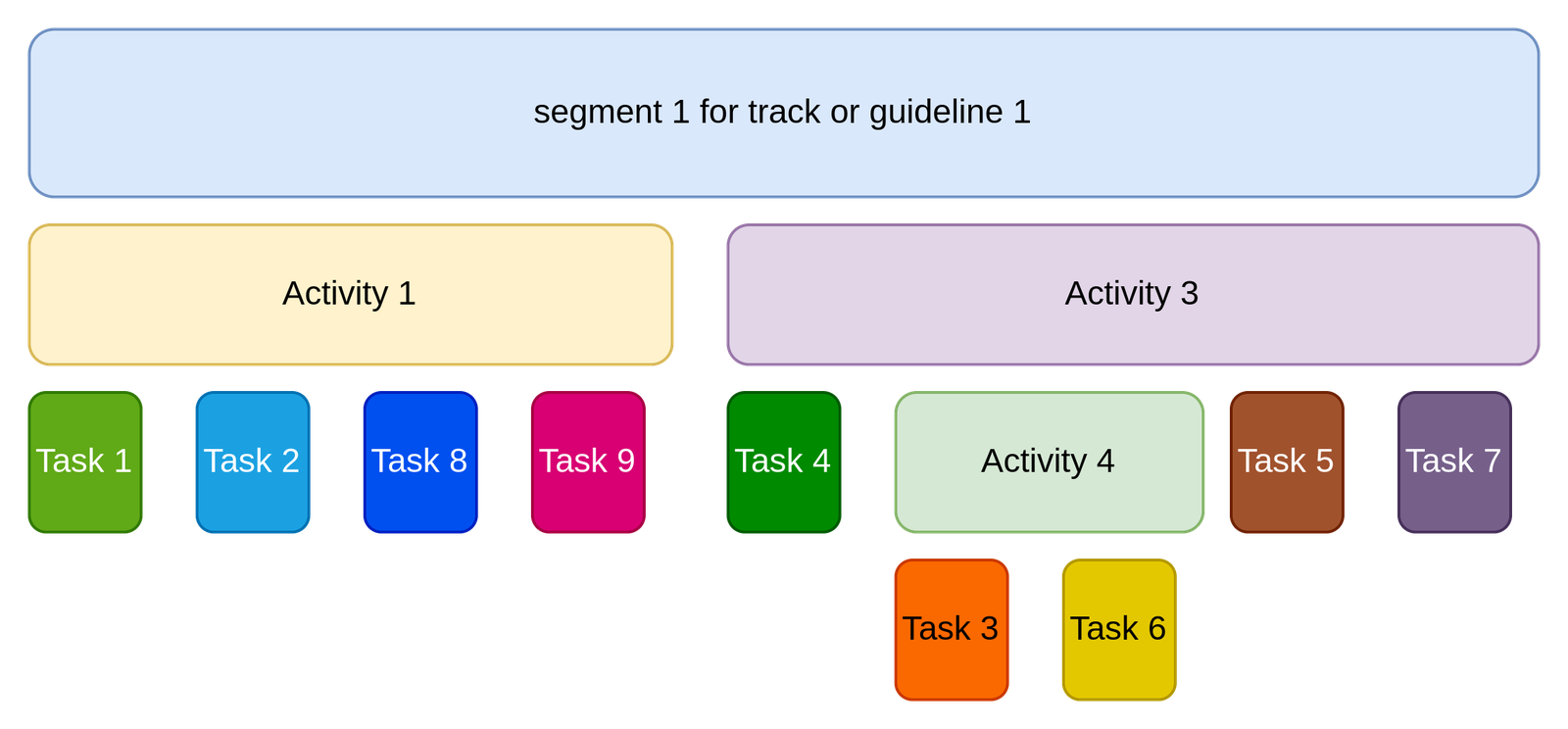
The app names these levels the same way everywhere:
| Layer | What it answers | In the app |
|---|---|---|
| Project | Which interventions are carried together | The project, on the overview |
| Intervention | Which segments make up the package, and for whom | A row of the interventions table, with its start |
| 1. Segment overview | What should happen, and in what order | A segment (a process activity in the files) |
| 2. Activity | How a step is carried out | An activity |
| 3. Node | One question, calculation, decision or message | A node on the diagram |
Layer 1: the segment overview
It defines what needs to be done, and stays generic so everyone understands it. Each box is an activity, detailed on its own page. The same segment can have several overviews, and an overview reuses existing activities.
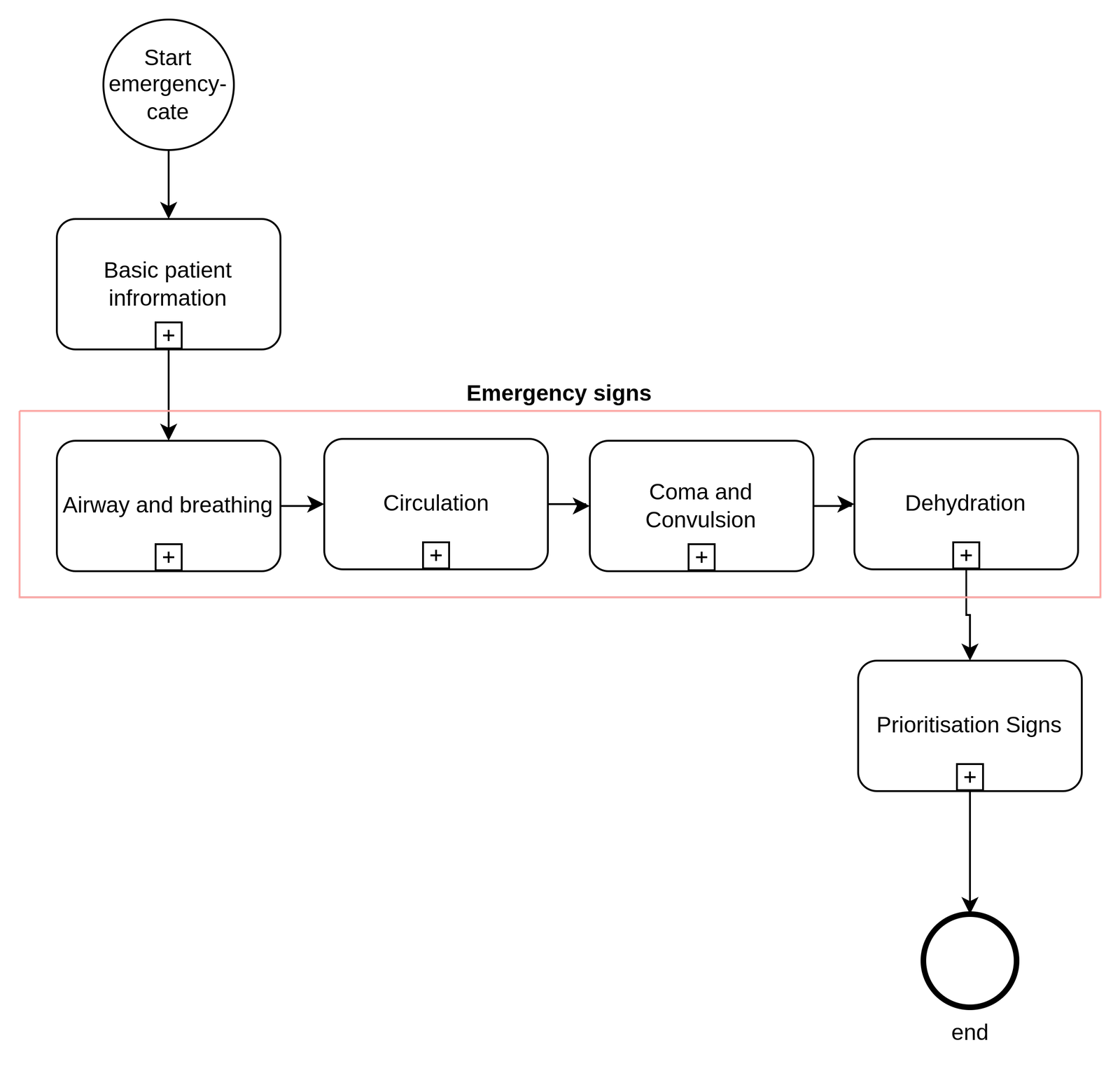
In the app, this is a segment whose boxes are Go to activity nodes. Ctrl-click (or Open activity) opens the activity behind a box.
Layer 2 and below: activities
An activity defines how a step is done. It is a sequential decision tree that:
- may have an applicability expression, so it runs only for the patients it concerns;
- is done when all of its paths have reached an Activity end;
- can contain other activities, through Go to activity;
- can be used in several segments and several guidelines;
- shows exactly what the health worker will face.
Layer 3 and below: nodes
Nodes are the specific actions: questions capture patient data and findings, sequence nodes say how the logic starts, branches and ends, calculations hold the complex logic in CQL, and notes give information to the user. A node can also say how it should be shown on the device. See the node reference.